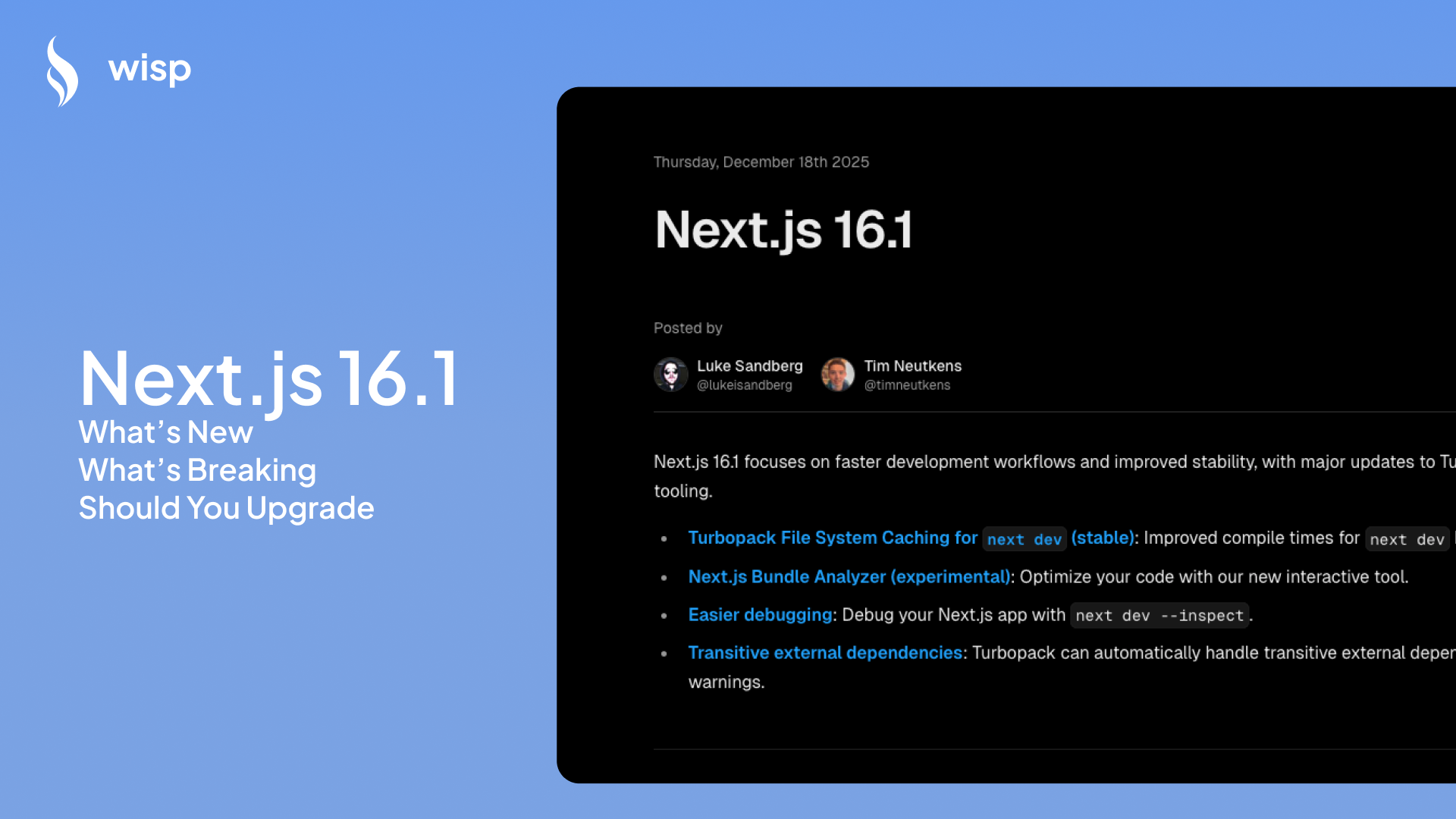
 You've just settled into a comfortable workflow with Next.js 15, your team has ironed out those pesky bugs, and now your Twitter feed is lighting up with announcements about Next.js 16.1. Another upgrade? Already?
"Man I just updated to 15. Can we keep these versions stable?" This sentiment, echoed across Reddit threads and developer Slack channels, captures the collective sigh of the Next.js community. The upgrade fatigue is real.
But before you dismiss this as just another "nothingburger" update, let's cut through the noise. Next.js 16.1 brings some genuinely impressive performance improvements alongside a handful of breaking changes that you need to understand before making the leap.
This guide will help you navigate three critical questions:
What new features actually matter in this release?
Which breaking changes could impact your codebase?
Should you upgrade now or wait for a more stable point release?
What's New in Next.js 16.1? A Focus on Speed and Developer Experience
The headline feature of Next.js 16.1 is undoubtedly the improvements to Turbopack, which now delivers dramatically faster development startup times.
Turbopack File System Caching is Now Stable and Default
If you've been frustrated by slow development server startup times, this feature alone might justify the upgrade. Turbopack's file system caching is now stable and enabled by default, meaning your compiler now stores artifacts on disk for lightning-fast subsequent starts.
How fast? The numbers from the official release notes are impressive:
react.dev: ~10× faster (Cold: 3.7s, Cached: 380ms)
nextjs.org: ~5× faster (Cold: 3.5s, Cached: 700ms)
Large internal Vercel app: ~14× faster (Cold: 15s, Cached: 1.1s)
This addresses one of the top reasons developers cite for upgrading: pure speed. In a community poll, 144 developers voted performance improvements as their primary motivation for moving to newer versions.
For an in-depth explanation of how this caching system works, check out Luke Sandberg's conference talk on the mechanics behind Turbopack's performance gains.
Experimental Next.js Bundle Analyzer: Tame Your Bundle Sizes
Another notable addition is the experimental bundle analyzer, which helps you visualize and optimize your application's bundle sizes for both server and client code:
next experimental-analyze This tool is particularly valuable for:
Filtering bundles by route
Viewing full import chains to identify bloat
Tracing imports across React Server Components (RSC) boundaries
Toggling between client and server views
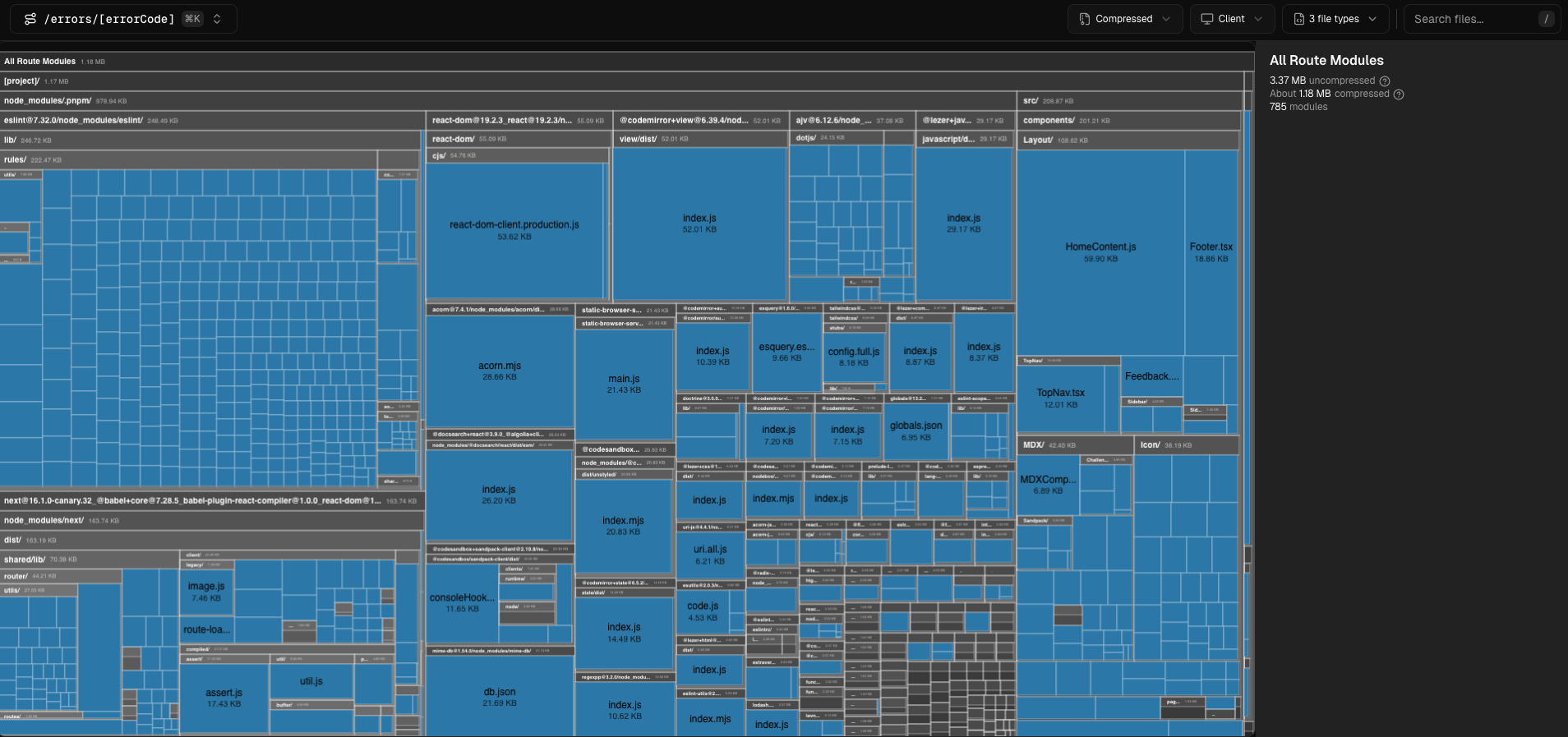 You can see this in action on the interactive Bundle Analyzer demo, which provides a visual representation of your bundle composition.
Quality-of-Life DX Improvements
Next.js 16.1 also includes several smaller but meaningful improvements to the developer experience:
Easier Debugging: The new
next dev --inspectflag simplifies enabling the Node.js debugger. No more settingNODE_OPTIONSmanually. This directly addresses community questions like "What can you do with the node.js debugger?" For a comprehensive guide, check out the official Node.js debugging docs.Smarter Dependency Handling: Turbopack now automatically resolves and externalizes transitive dependencies listed in
serverExternalPackages, reducing configuration headaches.Smaller Installs: Next.js installs are approximately 20MB smaller thanks to simplifications in Turbopack.
New
next upgradecommand: A dedicated command to simplify the upgrade process (we'll cover this in detail later).Improved Logging: Build worker logging now shows the number of threads used, providing more transparency into the build process.
Key Features Inherited from the Next.js 16 Release
If you're upgrading from version 15 or earlier, you'll also gain access to these notable features from the Next.js 16 release:
Cache Components: Next.js 16 introduced a new caching model using the
"use cache"directive, part of Partial Pre-Rendering (PPR). This can be configured in your Next.js config:// next.config.ts const nextConfig = { cacheComponents: true, }; export default nextConfig;However, some developers have reported that switching to cache components "caused our app to double in memory usage," so monitor your resource consumption carefully.
Next.js Devtools MCP: Integration with the Model Context Protocol for AI-assisted debugging and unified logs.
React 19.2 Compatibility: The App Router now leverages features from React 19.2, which was a key upgrade driver for many developers (111 votes in a Reddit poll).
The Catch: Critical Breaking Changes in Next.js 16.1
"I'm so burnt out on Next.js upgrades. The number of regressions we've had over the past two years is remarkable." This sentiment from the Reddit discussion reflects the community's frustration with breaking changes. Let's address the most significant ones in 16.1:
Stricter Environment Requirements: Node.js and TypeScript
Node.js: The minimum version is now 20.9.0. Node.js 18 is no longer supported. This is a hard blocker for teams on older infrastructure or those with strict Node.js version requirements.
TypeScript: The minimum version is now 5.1.0. If you're using an older version, you'll need to upgrade before migrating to Next.js 16.1.
These requirements are non-negotiable and documented in the Next.js 16 Upgrade Guide.
Goodbye middleware.ts, Hello proxy.ts
In a significant change to the project structure, the middleware.ts file has been deprecated and renamed to proxy.ts to better clarify its function at the network boundary.
This isn't just a rename—you must also update how you export the function:
// Before (middleware.ts)
import { NextRequest, NextResponse } from 'next/server';

export function middleware(request: NextRequest) {
  return NextResponse.redirect(new URL('/home', request.url));
}

// After (proxy.ts)
import { NextRequest, NextResponse } from 'next/server';

export default function proxy(request: NextRequest) {
  return NextResponse.redirect(new URL('/home', request.url));
}
Note that the function is now exported as default rather than using a named export.
The Shift to Asynchronous APIs
Synchronous access to APIs like cookies and headers has been removed. All access must now be asynchronous, which could require significant refactoring in codebases that made heavy use of these APIs.
This shift aligns with React's direction but can lead to what one Reddit user described as "weird cryptic errors" during the transition.
Deprecations and Configuration Changes
next/legacy/image: Fully removed in favor ofnext/image.images.domains: Deprecated. Useimages.remotePatternsfor better security.next lint: This command has been removed from the core package.Parallel Routes: All parallel route slots now require an explicit
default.jsfile. This subtle change can break layouts if overlooked.AMP Support: Completely removed from Next.js.
The Big Question: Should You Upgrade to Next.js 16.1?
With the features and breaking changes laid out, let's address the central question: Is it worth upgrading now, or should you wait?
The Case For Upgrading: Speed, Security, and Future-Proofing
There are several compelling reasons to take the plunge:
Performance Gains: The Turbopack caching improvements deliver real, tangible speed benefits—especially for larger projects with slow development startup times.
Security: Staying on older versions leaves your application vulnerable. One Reddit user pointedly noted being "hacked due to its last vulnerability." Upgrading is a necessary aspect of security hygiene.
Developer Experience: The new debugging tools and bundle analyzer can significantly improve your workflow, making development more efficient.
Ecosystem Alignment: Keeping pace with the React ecosystem (React 19.2) prevents you from falling too far behind, which would make future upgrades even more painful.
The Case for Waiting: Stability Concerns and "Upgrade Fatigue"
On the flip side, there are valid reasons to hold off:
Community Frustration: The sentiment is clear: "The number of regressions we've had over the past two years is remarkable," and "Turbopack gets angry about our pnpm config." Many developers feel the Next.js team should focus on "delivering on all the experimental or half broken promises" rather than introducing new features.
Production Stability: If your application is stable on v14 or v15 and the performance benefits aren't critical right now, waiting for a subsequent minor release (like 16.2 or 16.3) is a reasonable strategy recommended by some community members.
Resource Consumption: The report of cache components causing a "double in memory usage" is concerning and warrants caution, especially for applications running in environments with limited resources.
A Pragmatic Checklist for Your Project
To make an informed decision, consider these key factors:
Check Your Environment: Can you upgrade to Node.js 20.9+ and TypeScript 5.1+? If not, the decision is made for you—you'll need to address these prerequisites first.
Audit Breaking Changes: How much work will it be to rename
middleware.tstoproxy.ts, refactor for async APIs, and handle other deprecations? For large codebases, this could represent significant effort.Evaluate the Performance Gain: Is your local dev server painfully slow? The Turbopack improvements might justify the effort of upgrading.
Test, Test, Test: Never upgrade in production. Create a separate branch, run the upgrade, and thoroughly test your application in a staging environment. Pay special attention to routing, data fetching, and memory usage.
How to Upgrade to Next.js 16.1
If you've decided to upgrade, here's how to proceed:
The Automated Path: Using the Codemod
Next.js provides a codemod to automate much of the upgrade process:
npx @next/codemod@canary upgrade latest This tool will scan your codebase and automatically apply many of the necessary changes, though it may not catch everything.
The Manual Path: Updating Dependencies
For more control or if the codemod doesn't fully meet your needs:
npm install next@latest react@latest react-dom@latest If you're starting a new project, you can use:
npx create-next-app@latest Navigating the Next.js Ecosystem: Final Thoughts
Next.js 16.1 represents a significant step forward in performance and developer experience, but it comes with important breaking changes that require careful consideration.
The decision to upgrade isn't one-size-fits-all—it depends on your project's stability, your team's capacity for refactoring, and your specific performance needs. As one community member put it, "It's exhausting" to keep up with the pace of change, yet falling too far behind can create security risks and technical debt.
For many teams, the most prudent approach might be to:
Set up a staging branch to test the upgrade
Measure the performance benefits for your specific application
Assess the effort required to address breaking changes
Make an informed decision based on your project's unique context
If you encounter challenges during the upgrade process, the Next.js GitHub Discussions and Discord Community are valuable resources for support.
Remember that the goal isn't to chase the latest version for its own sake, but to balance the benefits of new features against the costs of implementation and potential regressions. Sometimes, the best strategy is to let others be the canaries in the coal mine and upgrade when a version has proven its stability in the wild.
Whether you choose to upgrade now or wait for a future release, staying informed about the changes and planning your approach strategically will help you navigate the constantly evolving Next.js ecosystem with confidence.