Key Takeaways
According to Coveo, employees waste significant time searching for information, with IT workers losing an average of 4.2 hours per day navigating scattered internal systems.
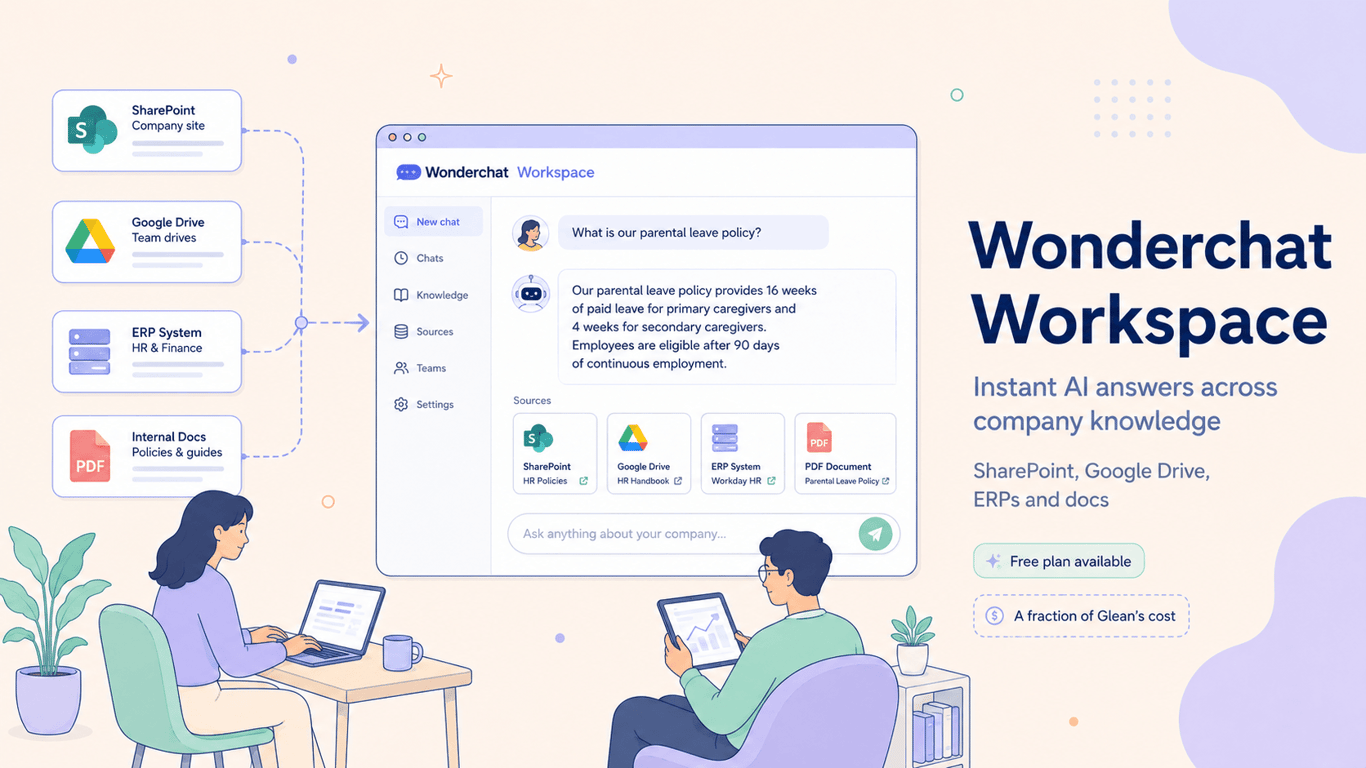
Wonderchat Workspace creates a unified AI knowledge platform by connecting to all existing data sources (SharePoint, Google Drive, ERPs) to provide instant, cited answers without data migration.
Unlike competitors, the same knowledge base can power both an internal AI for employees and an external chatbot for customers, creating a single source of truth.
For public-facing content, a headless CMS like Wisp complements Workspace by managing blogs and docs with structured content types.
SINGAPORE, JUNE 2026 – Your employees know the answer exists. What they don't know is which SharePoint folder it's buried in, which Slack thread mentioned it eight months ago, or if the PDF they found is the current version or one that was superseded last quarter.
That daily scavenger hunt is costing organizations far more than anyone tracks. According to Coveo's Relevance Report, IT workers alone spend an average of 4.2 hours per day navigating internal systems to find information. Wonderchat, the AI platform trusted by Fortune 500 companies including ESAB and Saudi Aramco, built Workspace to end it.
Here’s a closer look at how it works.
What Wonderchat Workspace Is
Wonderchat Workspace is a private AI knowledge platform that connects to all of an organization's existing data sources — SharePoint, Google Drive, PDFs, websites, ERPs, and proprietary repositories — and indexes everything automatically without requiring data migration, reorganization, or a complex IT project.
Instead of a list of links or a search results page, employees ask questions in natural language and receive a precise, conversational answer with a traceable trail of citations back to the original source document.
The platform is powered by Retrieval-Augmented Generation (RAG), a technology that grounds every response in the company's verified data rather than general internet knowledge. This means that every citation is real and every answer is traceable—which for teams managing compliance-sensitive documentation, isn't just a nice-to-have. It's the entire point.
Why Existing Tools Keep Failing
As AI reshapes how people find information — from Google's AI Mode changing content discovery to the broader shift from traditional SEO toward generative engine optimization — the gap between how knowledge is stored and how employees expect to retrieve it has never been wider.
According to IBM's enterprise search research, 74% of executives use different platforms to find necessary information, and 68% of IT professionals report integration challenges with their existing search deployments.
Microsoft Copilot has been positioned as the enterprise fix. It isn't. The reason is structural. Copilot searches within the Microsoft 365 ecosystem. For companies whose critical knowledge lives in ERPs, legacy document repositories, and non-Microsoft tools, Copilot returns incomplete results by design.
The confusion isn't limited to search tools, either. A discussion on Reddit about AI agents in Slack captured what a lot of enterprise teams are quietly experiencing: "I have no idea what I would have multiple agents do if I had them working together." Workspace answers that question with something concrete: a team of specialized bots, each scoped to a specific knowledge domain, all running from a single shared knowledge base.
Key Capabilities at Launch
Workspace ships with a feature set designed specifically for organizations managing knowledge across multiple teams, systems, and compliance requirements.
Universal Search. A single intelligent entry point to the entire organizational knowledge base. Every answer cites its source document. Employees stop toggling between tools and start asking one AI.
Purpose-Built Internal Agents. Teams create specialized agents scoped to specific folders with role-based access control: an HR Agent for benefits and onboarding, a Sales Playbook Agent for competitive intel, an IT Support Agent for troubleshooting. All agents run simultaneously from one shared knowledge base.
Document Invalidation. When a new policy or circular is uploaded, it automatically invalidates the previous version. The AI surfaces only the current document, critical for procurement, legal, and financial services teams managing audit-readiness.
Native Microsoft Teams Integration. Workspace deploys as an AI agent directly inside Microsoft Teams. Employees search organizational knowledge without switching tools or changing behavior.
Multi-Model Flexibility. Choose from OpenAI, Claude, Gemini, or Mistral, per agent or per conversation. No vendor lock-in for regulated industries with specific model compliance requirements.
Knowledge Gap Tracking. When employees don't find what they need, a feedback signal surfaces the gap. Teams see exactly where documentation is missing or outdated, turning frustrated searches into a continuous improvement loop.
Proven Results From Deployed Organizations
The architecture behind Workspace has already been validated across Fortune 500 companies and fast-growing enterprises:
ESAB, the Fortune 500 industrial manufacturer, deployed Workspace across 20,000-plus documents spanning multiple languages and regions. The result: 100-plus hours saved per month and a 100% improvement in first-response rates.
Saudi Aramco deployed Workspace for both public-facing website search and internal cross-divisional employee knowledge. Query resolution time dropped from hours to seconds.
Ranken Technical College runs two Workspace agents simultaneously — one for student support, one for internal staff operations — recovering four to five staff hours per day.
Research from Josh Bersin found that companies operating at the highest level of dynamic, AI-enabled learning are 10 times more likely to lead in innovation and 6 times more likely to surpass financial targets than their peers. Workspace accelerates that path by giving every employee, from day one, access to the same complete organizational knowledge that senior staff have spent years accumulating.
A Structural Advantage No Standalone Tool Can Replicate
What separates Wonderchat Workspace from internal knowledge tools like Glean, Bloomfire, or Guru is architectural. Wonderchat is the only platform where the same knowledge base simultaneously powers a customer-facing AI chatbot and an internal employee AI. Every competitor in the internal knowledge space is internal-only. Every competitor in the chatbot space is external-only.
Companies already using Wonderchat for customer support get Workspace with zero setup: their existing knowledge base imports instantly, with no retraining or re-uploading. New Workspace customers can deploy a customer-facing AI agent the same day.
"When they see your external agent, they're like, wow. It puts the product in a different category," said Vera Sun, CEO of Wonderchat.
Pricing: Deploy in Minutes, Not Months
Wonderchat Workspace is free to start for teams of up to five. Enterprise teams access the full platform starting at $25/seat/month, compared to Glean, which starts at $50-65/user/month with a $60,000-plus annual minimum and a multi-month deployment timeline.
Plan | Price | Members | Pages | Agents |
|---|---|---|---|---|
Free | $0/month | 5 | 1,000 | 3 |
Premium | $99/month | 5 (+$25/seat) | 10,000 | Unlimited |
Enterprise | Custom | Unlimited | Unlimited | Unlimited |
The Enterprise plan includes SSO/SAML/SCIM, audit logs, dedicated customer success, and a service level agreement (SLA). Workspace billing is completely separate from Wonderchat's external chatbot product.
Turn Wasted Hours Into Winning Work
Your team loses hours every day searching for information. Wonderchat Workspace solves this by connecting all your scattered internal documents—from SharePoint to your ERP—into a single AI that delivers instant, verifiable answers. Better yet, the same knowledge base can power both internal and external support, creating one source of truth for everyone.
The first step is recognizing where friction is slowing you down. While Workspace tackles internal search, what about your public-facing content? If your team fights with a clunky CMS to publish blog posts and docs, you're facing the same operational drag. Wisp is a headless CMS built to eliminate that friction so you can ship faster.
It helps your content engage readers, not just exist, with features like AI Contextual CTAs and a built-in CMS with comments.
See Wisp in action to find out if it's the right fit for your team. Wisp’s free plan includes unlimited blogs and posts, so you can try it without commitment.
About Wonderchat
Wonderchat is a dual-product AI platform for customer operations and internal knowledge, founded in Singapore in 2023. Externally, companies deploy AI agents trained on their documentation that resolve 70-92% of customer inquiries autonomously, with native AI and live chat hybrid included. Internally, Wonderchat Workspace gives every employee a private, company-trained AI across SharePoint, Google Drive, ERPs, and all organizational knowledge.
The platform is trusted by 1,000-plus clients including Fortune 500 companies ESAB, Aramco, and Trend Micro. It is SOC 2 and GDPR compliant and supports multiple AI models including OpenAI, Claude, Gemini, and Mistral.
Media Contact
Frequently Asked Questions
What is Wonderchat Workspace?
Wonderchat Workspace is an AI knowledge platform that unifies company information. It connects to your data sources like SharePoint and Google Drive, giving employees instant, cited answers without searching multiple systems.
How is Workspace different from Microsoft Copilot?
Workspace differs from Copilot by connecting to all data sources, not just the Microsoft 365 ecosystem. This provides complete answers for companies whose knowledge is in ERPs, PDFs, and other non-Microsoft tools, which Copilot can't access by design.
How does Workspace prevent AI hallucinations?
Workspace prevents hallucinations using Retrieval-Augmented Generation (RAG). Every answer is grounded in your company's verified documents, not the open internet. Each response includes a direct citation to the source material, ensuring all information is traceable and accurate.
What data sources can Workspace connect to?
Workspace connects to SharePoint, Google Drive, PDFs, websites, Enterprise Resource Planning (ERP) systems, and other proprietary or legacy repositories. No migration or reorganization of existing files is required.
Is our company data secure?
Yes, your company data is secure with Workspace. It creates a private, isolated AI environment for your organization and does not train on your data. The platform is SOC 2 and GDPR compliant, with role-based access controls to ensure data privacy.
How does Workspace handle outdated documents?
Workspace handles outdated documents with its Document Invalidation feature. When a new version is uploaded, it automatically supersedes the old one. This ensures the AI always provides answers based on the most current and accurate information available.
Can we use Workspace for both employees and customers?
Yes, you can use the same Workspace knowledge base for both employees and customers. This unique feature allows you to power an internal AI for staff and an external chatbot for support from a single source of truth, something standalone tools can't do.
How much does Wonderchat Workspace cost?
Wonderchat Workspace has a free plan for up to five users. Paid plans start at $25 per seat per month, which is significantly more affordable than competitors like Glean. Enterprise plans with advanced features like SSO and dedicated support are also available.
How long does it take to set up Workspace?
Setting up Workspace takes minutes, not months. The platform connects to your existing data sources like SharePoint and Google Drive automatically without any complex IT projects or data migration. Your team can start getting answers almost immediately.